
 Join our Discord
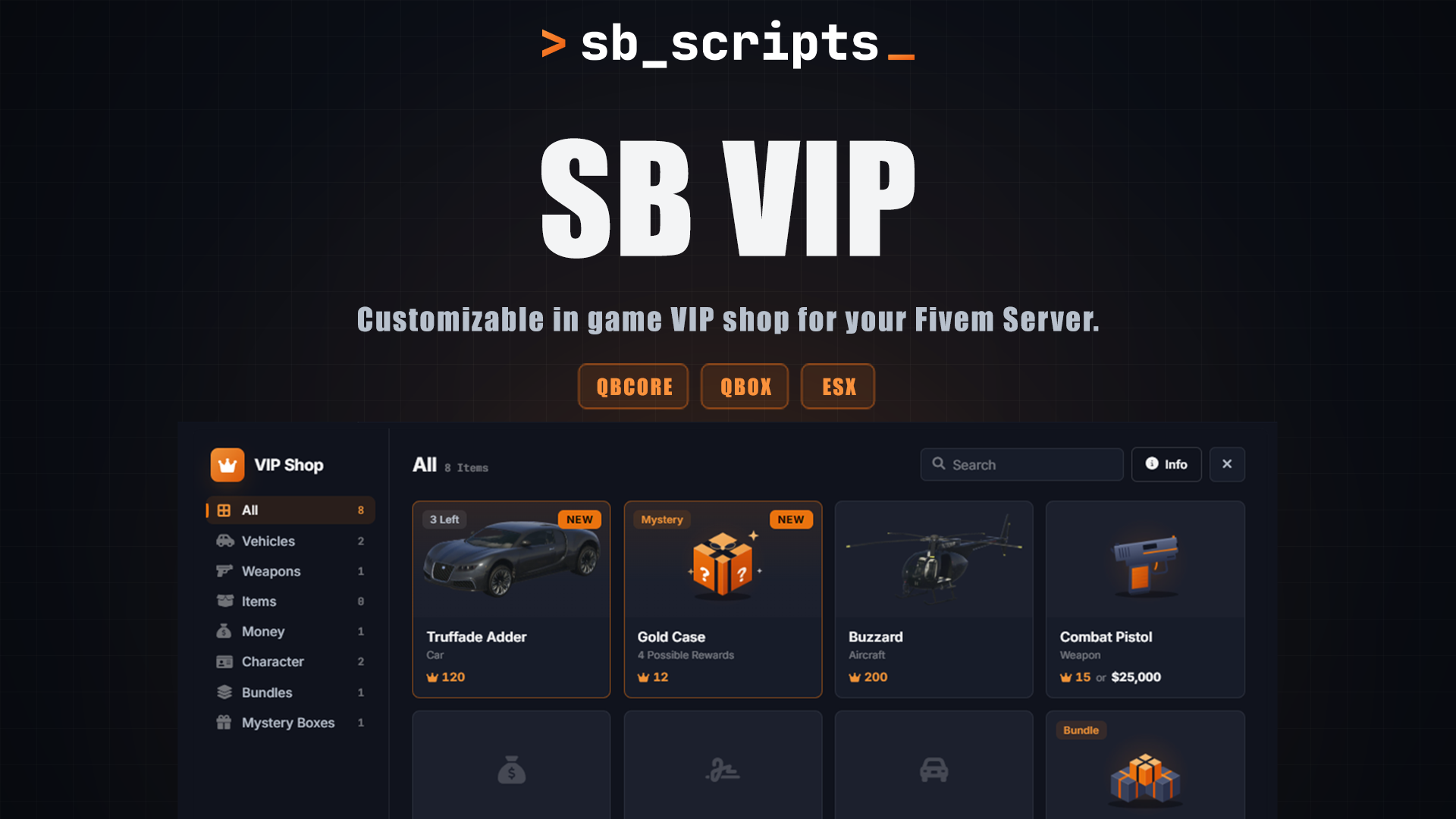

Advanced VIP Shop System
Give your players a place to spend their VIP tokens with a shop you can manage entirely in game. Players can buy tokens through Tebex, redeem their purchases, and use their balance to purchase vehicles, weapons, items, money, services, bundles, and mystery boxes. Customize the shop to fit your server without having to edit the config every time you want to make a change.
Features
Players can purchase VIP tokens through your Tebex store and redeem them in game using their transaction ID. Balances are saved to each player's license and shared across their characters. Staff can give or remove tokens through the admin panel or server console.
Connect your Tebex packages to the token system using FiveM's built in Tebex support. Create and manage packages from the admin panel, detect packages that have not been added yet, and add them without having to configure everything manually. The system can also look up purchases that have not reached the server yet. Multiple packages and quantities are supported, and each transaction can only be redeemed once.
Stock your shop with vehicles, weapons, items, money, character services, bundles, and mystery boxes. Create your own categories, organize products, and set purchase limits. Products can be sold for VIP tokens, in game money, or both.
Create mystery boxes with your own rewards and chances. Each reward has an independent chance between 0% and 100%, and a single box can contain multiple rewards. Add vehicles, weapons, items, or money to make each box your own.
Place vehicles around your showroom and let players view them before buying. Display vehicles rotate automatically, and players can take test drives in a separate routing bucket. Purchases require players to hold the confirmation button. Purchased vehicles spawn with full fuel and keys, while vehicles bought away from the shop are sent directly to the garage.
Set up a walk in shop inside your MLO or use IPL mode with separate entrance and exit points. IPL mode handles routing buckets and returns players to the bucket they were in before entering. Showroom vehicles only spawn while players are inside the shop.
Manage products, vehicles, bundles, mystery boxes, shop categories, and showroom locations from one place. Link Tebex packages to token amounts, check purchase history, see who redeemed each transaction, and edit player balances. Most shop changes can be made without opening the config.
Keep track of Tebex purchases, token redemptions, shop purchases, and admin actions through separate Discord logs. Webhooks are stored on the server and are never sent to players.
Includes support for SB AntiCheat, with custom hooks available for connecting other anti cheat resources.
Configuration
The admin panel lets you manage the shop directly in game, so you do not have to keep editing configuration files whenever you want to change something.
- Add and edit shop products
- Manage vehicles, bundles, and mystery boxes
- Place showroom vehicles in game
- Create and organize shop tabs
- Set token rewards for Tebex packages
- View purchases and redemption history
- Manage player token balances
- Review admin actions through Discord logs
Compatibility
ox_inventory, qb-inventory, ps-inventory, lj-inventory, qs-inventory, codem-inventory, origen_inventory, tgiann-inventory, core_inventory, ak47_inventory, framework default, and custom inventories.
What You Get
✓ Complete resource with config and server files
✓ Automatic database table creation
✓ Included install.sql file
✓ README with setup instructions
✓ Full Tebex setup guide
✓ Free updates
✓ Support through our Discord
Everything you need to run a VIP shop on your server, from Tebex token purchases to in game rewards and shop management. Set it up to match your server and manage your products and players from one place.